To use the MDM Data Tools for AI Agents recipe, the following prerequisites must be met:
•Ensure that you have configured a match model in Business 360 Console because the Identify Customers process in the recipe uses the match model to retrieve customer records.
• Create a user account in Administrator with Native authentication and assign the following roles:
- API Policy Manager
- Customer 360 Manager
- Deployer
- Designer
- MDM Designer
- Product 360 Manager
- Service Consumer
For more information about the user roles, see User Administration in the Administrator help.
•Deploy the Business Process Archive (.bpr) file to dynamically configure code.
Deploying the BPR file
The .bpr file contains all the necessary configuration files required to deploy your project resources.
Each configuration file specifies the default map names and exclusions essential for the corresponding processes in the recipe, which you can update as needed.
Before you begin the deployment, download the Infa_MDM_DataTools_Config.bpr file on your local machine using the following link:
1Log in to Informatica Intelligent Data Management Cloud (IDMC) using an account with administrative privileges.
2Navigate to Application Integration Console > Deployed Assets > Deploy.
3In the BPR File field, select the .bpr file from your local machine. Set the deployment target to Cloud Server, and then click OK.
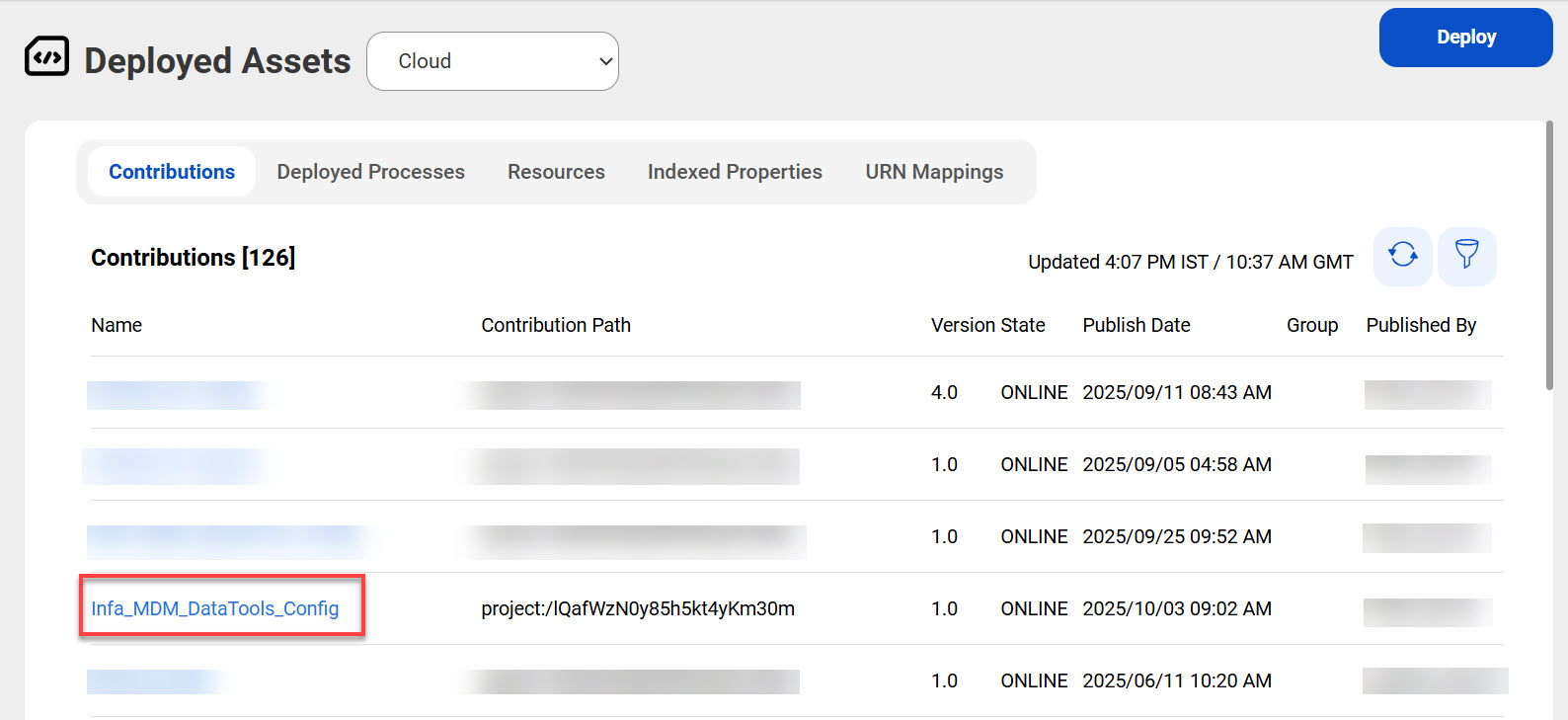
The deployed .bpr file name appears under the Contributions tab as shown in the following image:
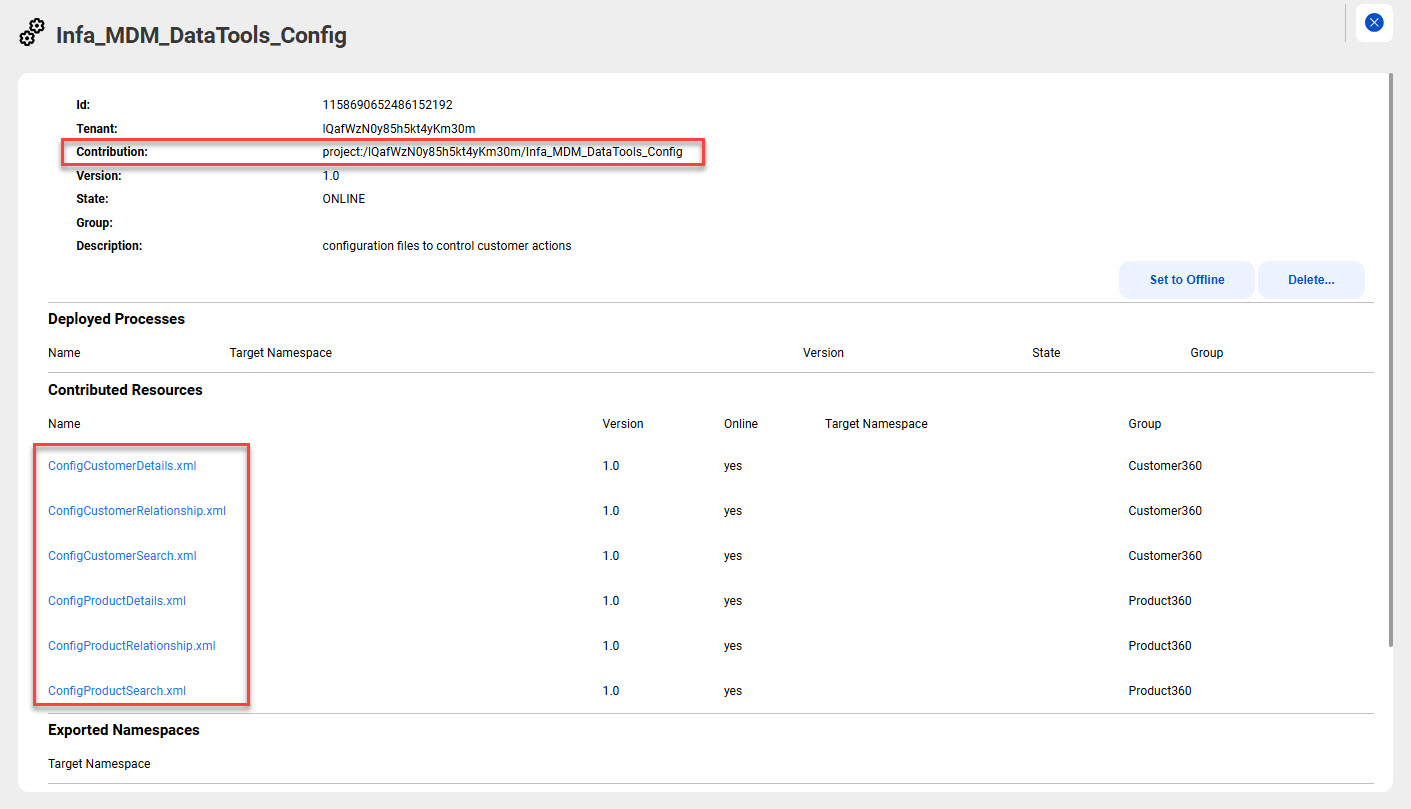
4Open the Infa_MDM_DataTools_Config.bpr contribution that you just deployed.
The contribution location and configuration files for all the Application Integration processes are listed under the Contributed Resources section as shown in the following image:
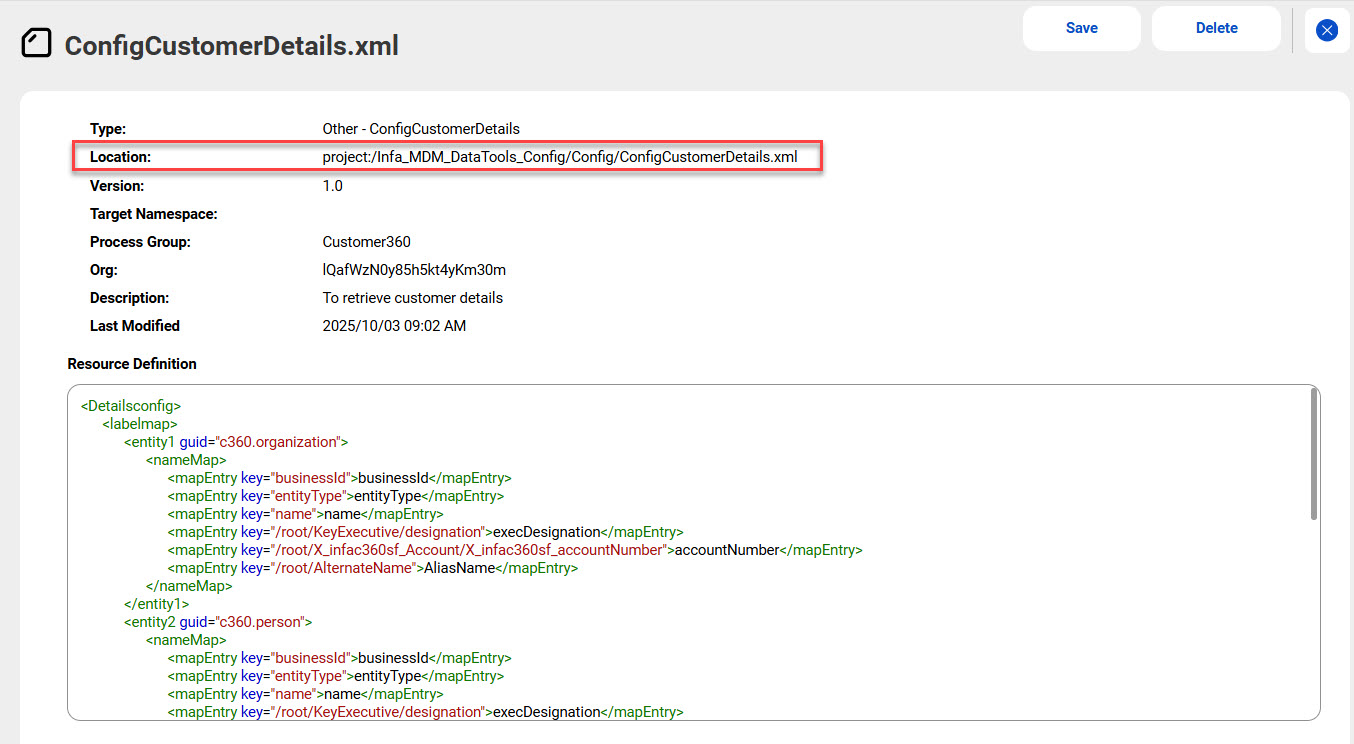
5Open the configuration file and copy the location. You will need these paths to configure the processes.
The following image shows the configuration file location:
6Modify the resource definitions for each configuration file, if required.
The resource definitions include two main sections, labelmap and Exclusions.
In the labelmap section, you can specify the elements whose values you want to change. For parent element, enter the names directly. For example, <mapEntry key="businessId">businessId</mapEntry>. For child elements, provide the full path of the element. For example, <mapEntry key="/root/KeyExecutive/designation">execDesignation</mapEntry>.
In the Exclusions section, you can list elements that you want to exclude from the response. For example, <item>/root/Status/Code</item>.