Data lineage in Data Governance and Catalog has been redesigned to provide a more intuitive and powerful way to visualize and interact with the data flow across your organization.
This release includes the following key enhancements:
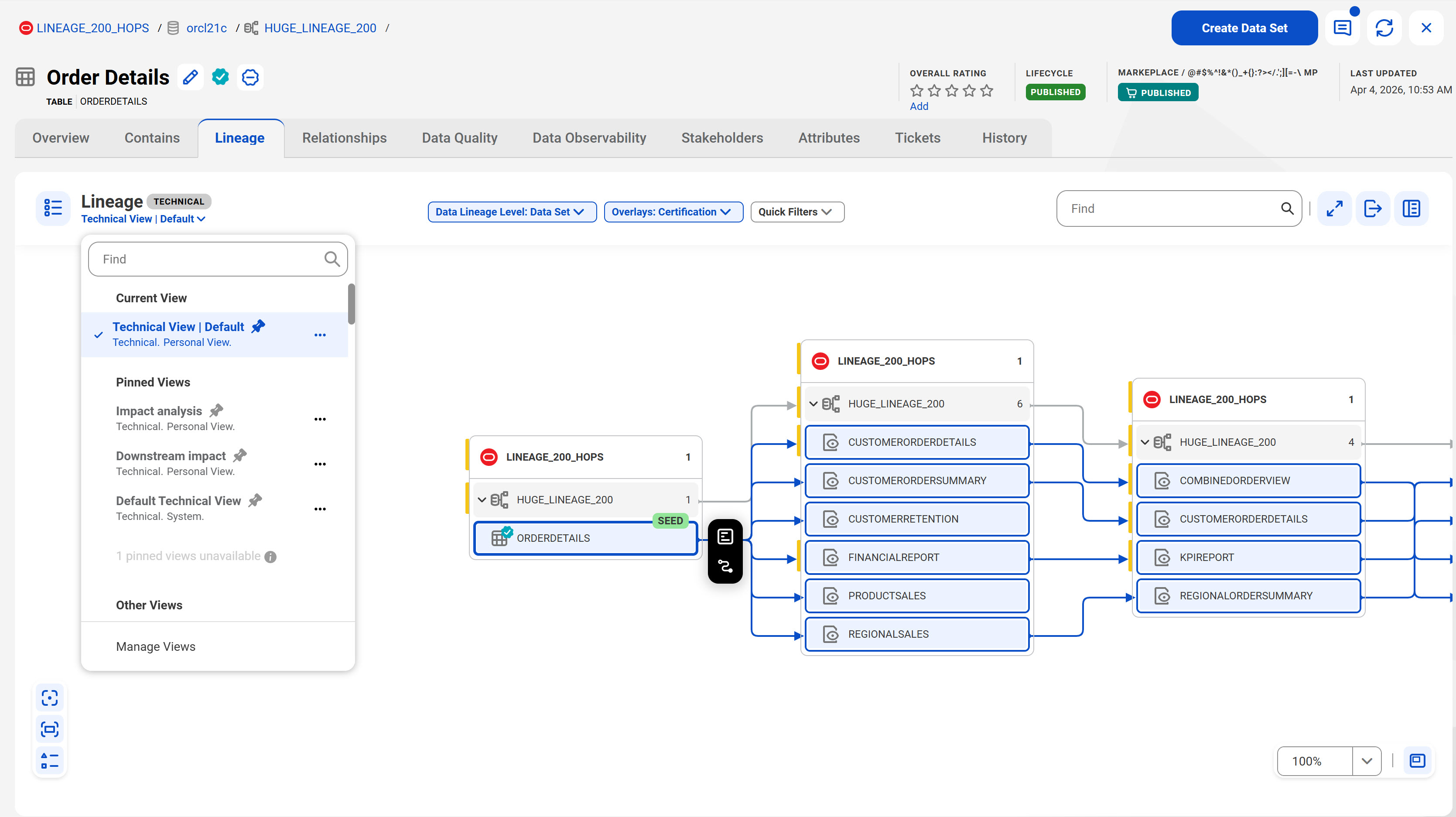
•A new user experience and improved interface offers clearer visualization and makes it easier to navigate and interact within the lineage canvas.
•Create and save your lineage preferences as views. To enhance collaboration on data governance initiatives, you can share these lineage views with other users in your organization.
•Pin lineage views to quickly access them or easily search among the different views available to you.
•Apply advanced filters to focus on specific assets in the lineage, making it easier to trace data flow and dependencies.
•Export lineage in tabular format as an XLSX or a CSV file.
The following image shows the new Lineage page of a sample technical asset:
For more information about changes to data lineage, see Data lineage.
Dashboard enhancements
This release includes the following enhancements to dashboards:
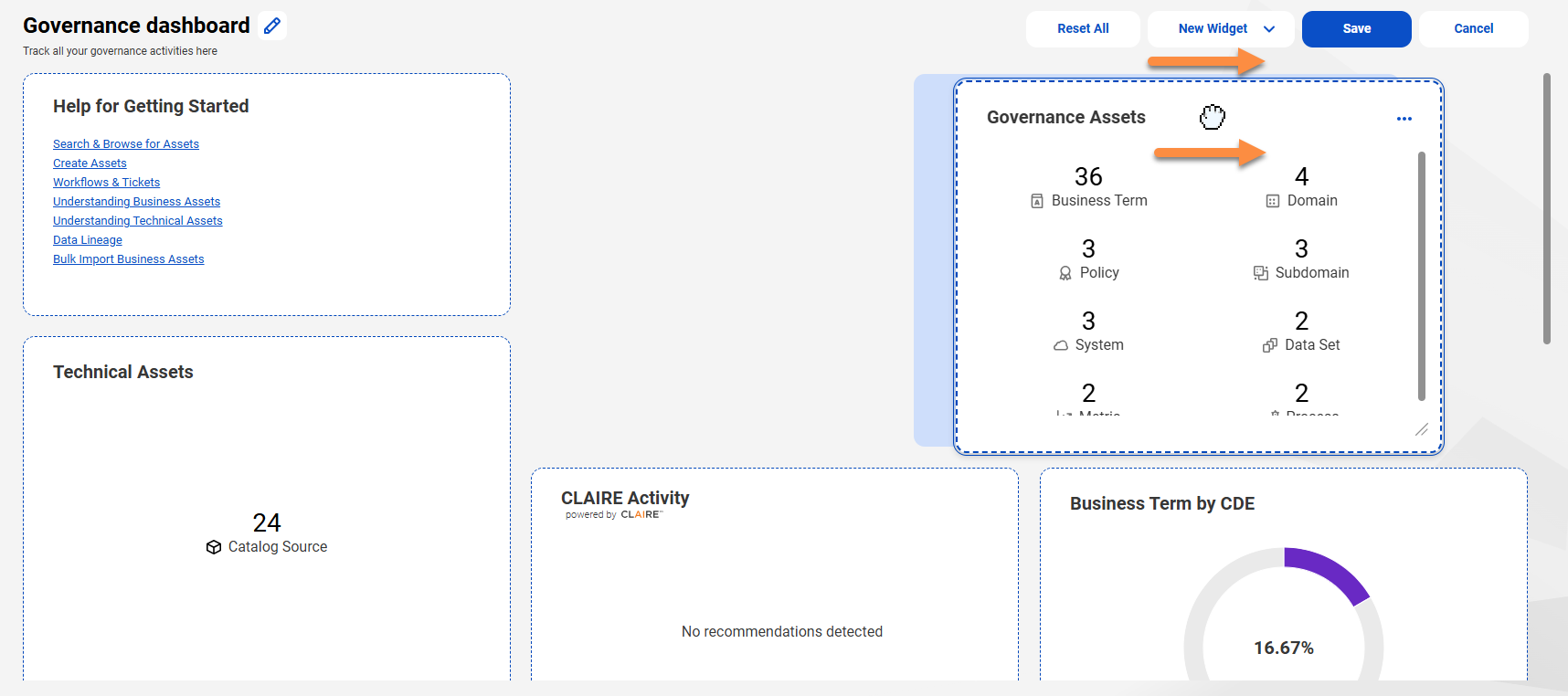
•You can modify dashboards and their widgets using the Edit Dashboard option.
Along with modifying the dashboard name and description, you can perform various activities on dashboard widgets. You can resize widgets by dragging widget edges and you can drag and drop widgets to create customized layouts.
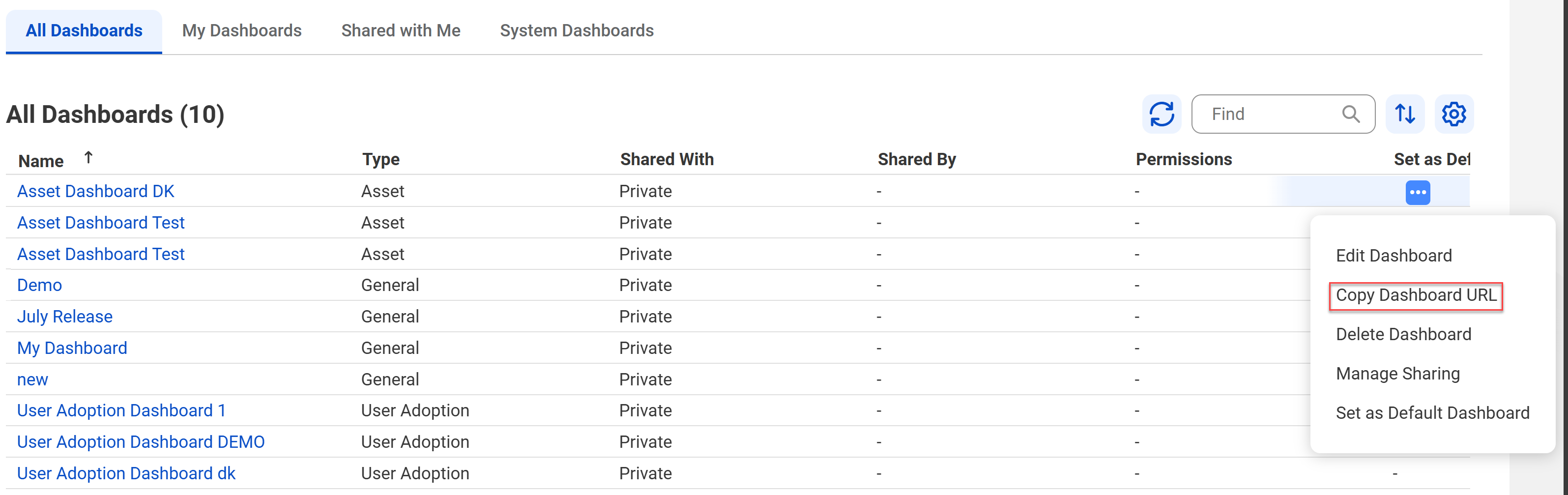
•You can share a dashboard with other users using a URL so that they can open the same dashboard with the same widgets. The following image shows the Manage Dashboards dialog box:
The release includes the following enhancements to data observability:
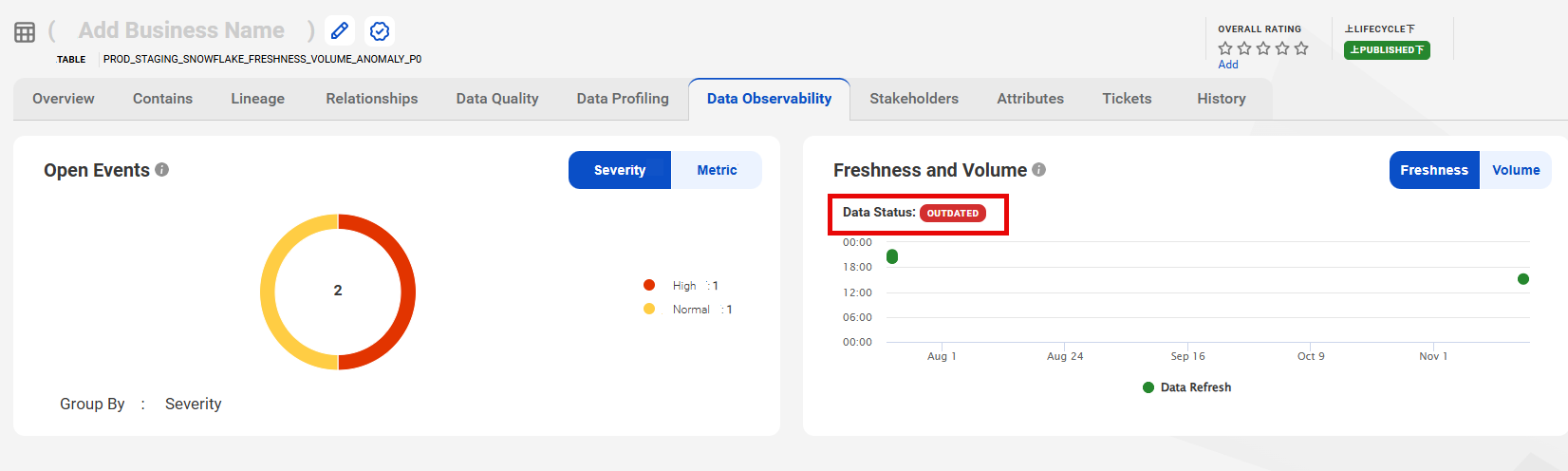
•If you have enabled the data observability capability for a catalog source, the Freshness and Volume widget on the Data Observability tab shows an Outdated label in red for outated catalog source data.
The following image shows the Data Observability tab for a table:
•
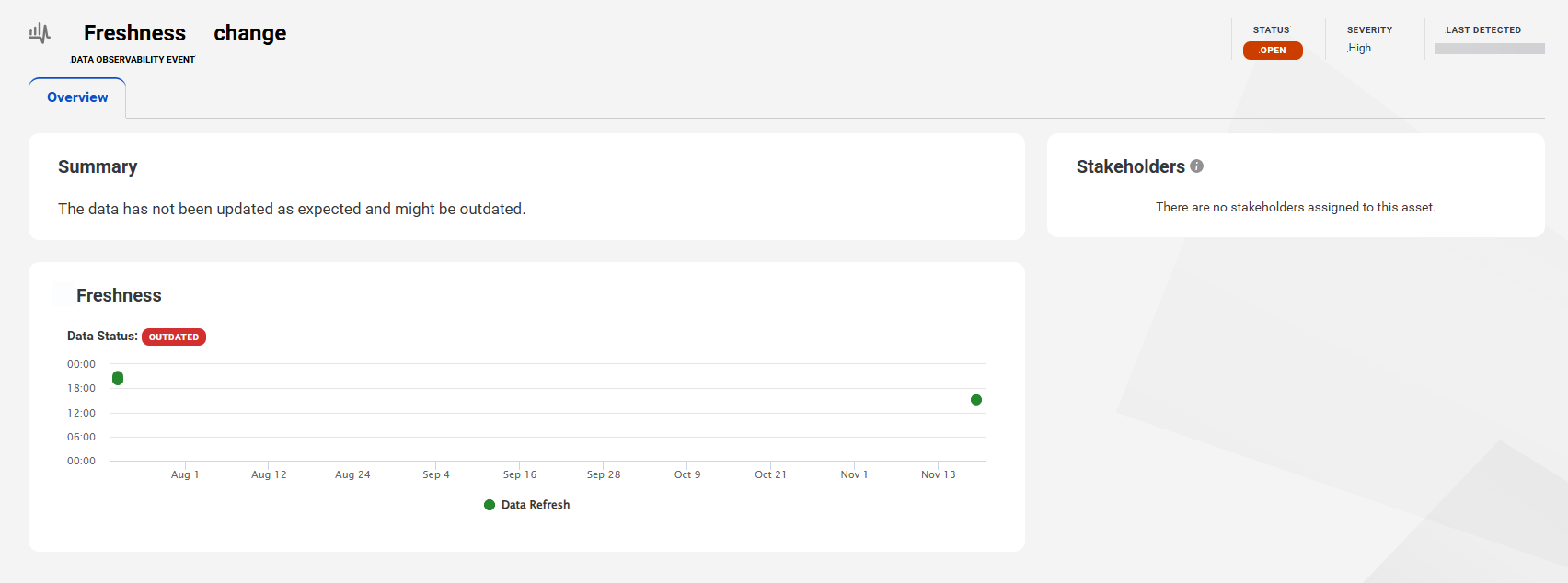
•Freshness and volume event pages show data on visualization widgets. Freshness event pages include a widget that visualizes data in a scatter plot and volume event pages include a widget that visualizes data in a bar chart.
Import and export of assets are quicker in Data Governance and Catalog. From a search result, if you export up to 10,000 assets without their relationships, the export is significantly faster. If you include relationships in your export, you export the assets through a standard export job.
If you import up to 500 assets using the bulk import template, the import is significantly faster. The import can include business and technical assets, and business assets configured with workflows.
For more information about exporting and importing assets, see Overview.
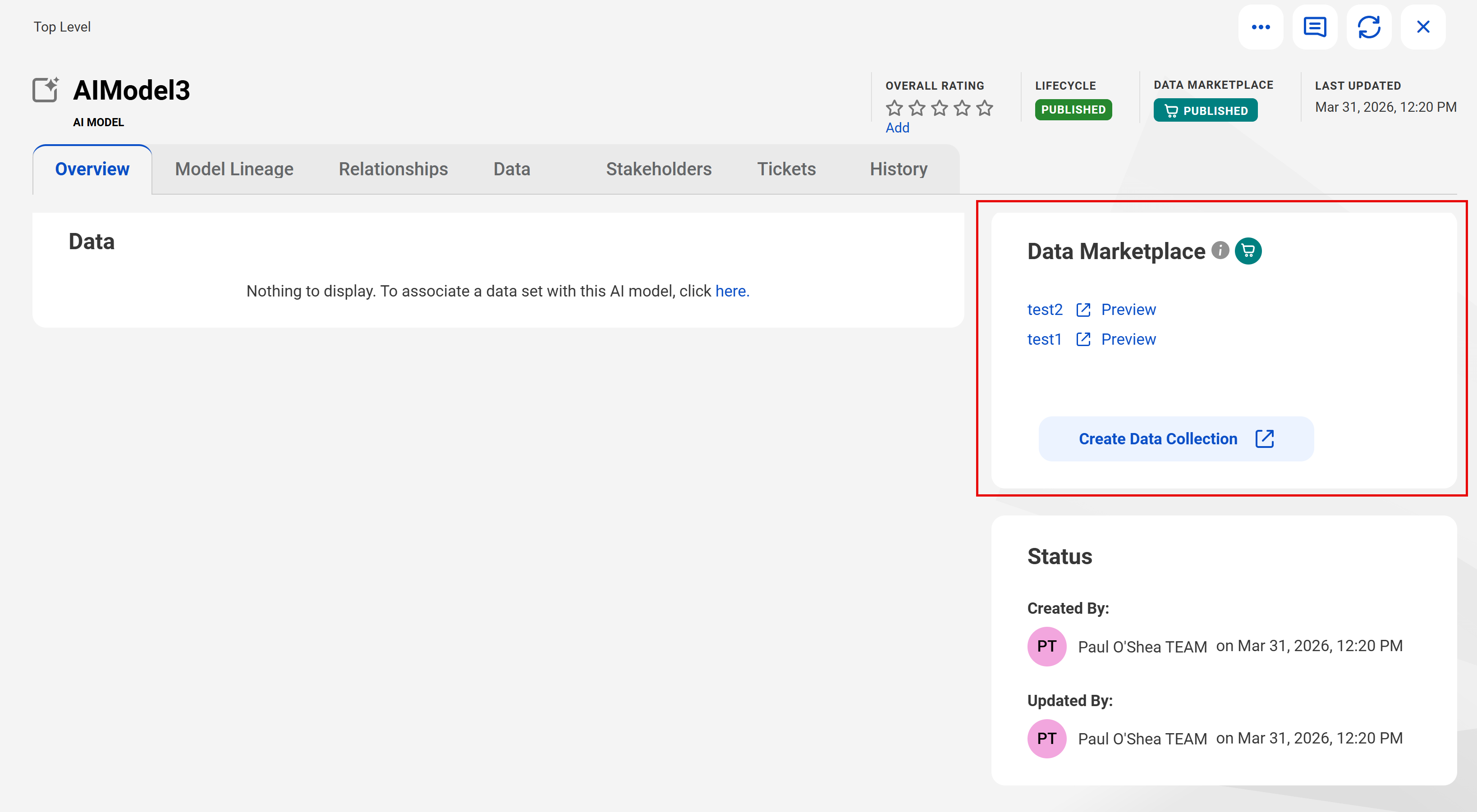
Create a Data Marketplace data collection
For assets that are Published to Data Marketplace, you can create a data collection from asset pages in Data Governance and Catalog.
The following image shows a Data Governance and Catalog asset page:
The April release includes the following public APIs for lineage and data quality scores:
Export full lineage
Use an API to export full lineage of an asset in a CSV or Microsoft Excel file. The Microsoft Excel file includes worksheets for upstream and downstream asset lineages.
Retrieve data quality scores
Use an API to retrieve the data quality scores of data quality rule occurrences.
Upload data quality scores
Use an API to upload data quality scores to data quality rule occurrences.
Workflow enhancements
The following workflow updates improves efficiency in task handling by grouping tasks, triggering approvals for bulk imports, and easy identification of tasks with asset labels.
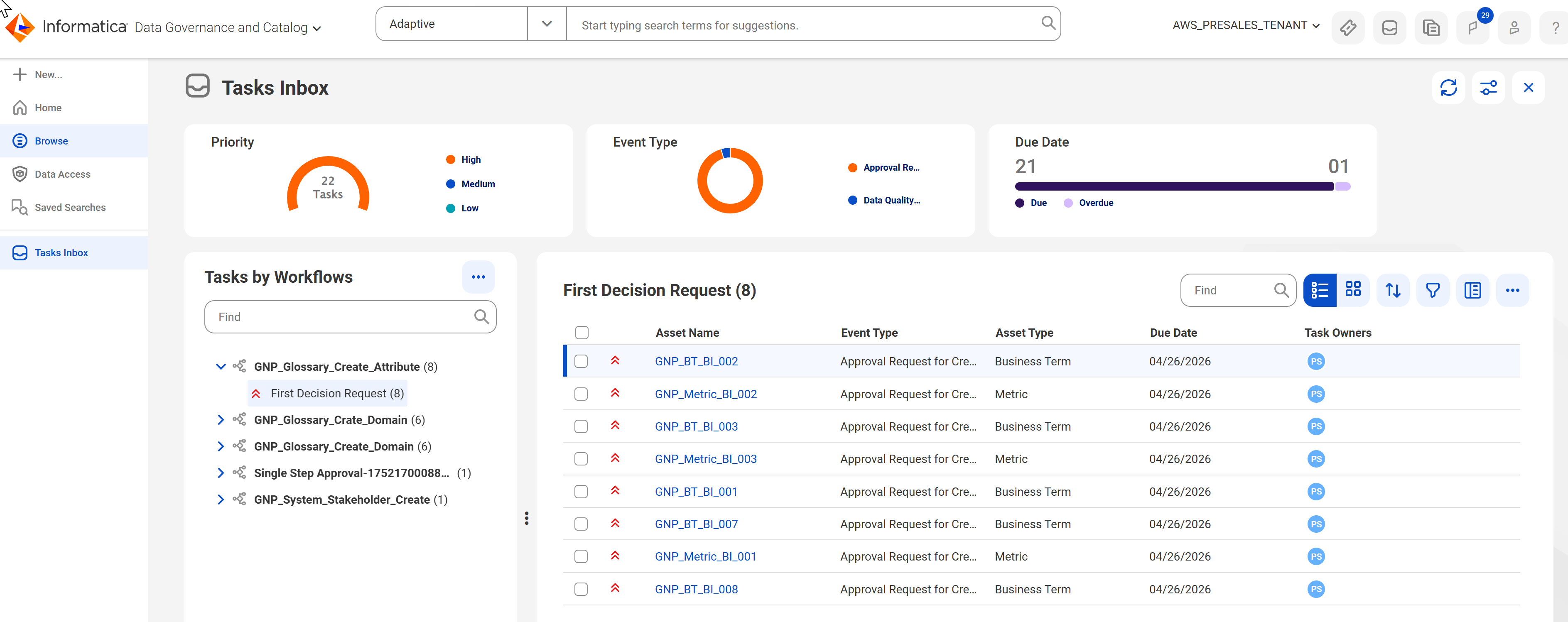
Task grouping and bulk actions
In the Tasks Inbox, you can perform bulk actions on tasks grouped by workflow and outcome. For example, you can perform task actions, comment, claim and assign tasks based on your user privileges.
Approval process for business asset updates in bulk import operations
When you create or update a business asset in a bulk import operation, Data Governance and Catalog triggers an approval process and assigns task to the appropriate stakeholders. Adding a relationship or stakeholder will not trigger an approval process.
Asset labels for tasks in Tasks Inbox
The Tasks Inbox displays asset labels alongside task names to clearly distinguish tasks based on the asset information.
Directly publish draft assets
For assets that have had their previously associated workflows disabled or if the workflow configuration conditions are modified or invalidated, the asset page displays the Publish button. You can click Publish to manually publish the asset. The asset then moves from the Draft to Published lifecycle.
For more information about bulk actions and task grouping, see Overview.
Specify exception file path for data quality rule occurrences in bulk upload files
The bulk import template for data quality rule occurrences introduces the Exception File Path column. You can use this column to specify the path to the file that stores the exception records that fail to meet the criteria defined by a data quality rule occurrence.
For more information about how you can bulk import data quality rule occurrences, see Data Quality Rule Occurrence.
Export of assets enhancement
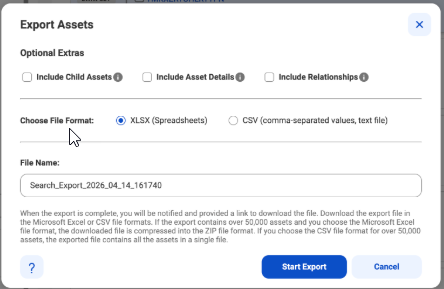
In addition to the Microsoft Excel file in the .xlsx or .xls file format, you can also search for assets and export the results of a search as CSV file. You can download data in multiple files within a compressed folder.
The following image shows the Export Assets dialog box:
For more information about how to export assets, see Export assets.
Enhancements to data quality task monitoring
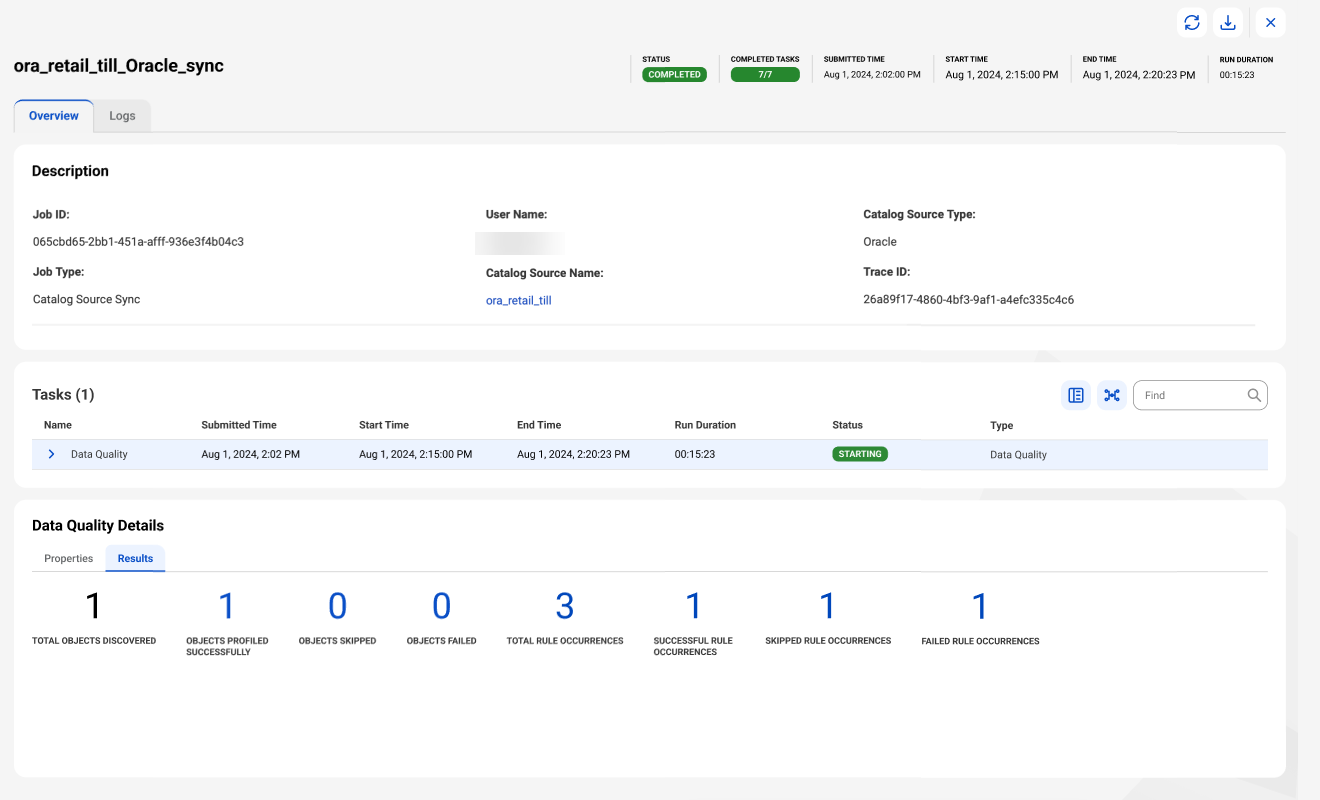
You can click the counts of successful, skipped, and failed rule occurrences in a catalog source job in Metadata Command Center. This enables you to view further details about each occurrence. Find the rule occurrences in the Data Quality Details section on the job overview page. You can view their details on the Logs tab of the page.
The following image shows the job Overview page for a data quality task:
You can use the following new and enhanced features for data access management:
•You can enforce data filter policies and data de-identification policies within database ingestion and replication jobs. The policies protect sensitive data during bulk ingestion and replication by applying filters and data protections before your data reaches the target.
For more information about enforcing data filter policies and data de-identification policies within database ingestion and replication jobs, see Database Ingestion and Replication in the Data Ingestion and Replication help.
•You can push down data access control policies to the Amazon S3, Google BigQuery, and Tableau source systems.
•You can use an AND operator in the filter criteria in data filter rules.
For more information about creating data filter rules on the Data Access Management page in Data Governance and Catalog, see Creating filters for data filter rules.
New catalog sources
This release includes the following new catalog sources:
•Microsoft Azure Machine Learning
•Salesforce Marketing Cloud (Preview)
For more information about catalog sources, see the corresponding catalog source help.
Enhanced catalog sources
This release includes the following enhancements to catalog sources:
Amazon Athena
This release includes the following enhancements:
- You can use the EC2 Role to Assume Role authentication type to connect to Amazon Athena source systems.
- You can extract metadata from nested field objects.
- You can extract objects with the following complex data types and their nested fields:
- You can use OAuth Machine-to-Machine authentication to run data profiling and data quality jobs.
- When you extract metadata from Databricks Unity Catalog, you can use the Extract Tags property to specify whether you want to extract tags assigned to the objects you extract.
- You can now extract metadata from the following Databricks Unity Catalog objects:
▪ Volume
▪ Function
▪ Dashboard
- You can add metadata extraction filters based on volumes and dashboard paths.
You can configure Microsoft Azure Synapse Analytics Parameters to extract Microsoft Azure Synapse Analytics notebooks with a Microsoft Azure Synapse Analytics connection in the Microsoft Azure Data Factory catalog source.
You can configure glossary association and data classification capabilities on the following catalog sources:
•Oracle Business Intelligence
•TIBCO Spotfire
For more information about catalog sources, see the corresponding catalog source help.
Profiling enhancements
This release includes the following profiling enhancements:
Amazon Redshift
You can use the Redshift IAM Authentication via AssumeRole authentication type to connect to Amazon Redshift source systems and run a data profiling job.
Apache Hive
You can run data profiling and data quality jobs on metadata extracted from any schema regardless of the schema name that you specified in the connection properties.
Google BigQuery
This release includes the following enhancements:
- You can apply profiling filters based on external tables and stored procedures.
- When you choose All Rows or Limit N Rows as the sampling type, you can run data profiles on external tables.
Salesforce
This release includes the following enhancements:
- You can run data profiling and data quality jobs using the Salesforce Data 360 connection on the following objects extracted from Salesforce Data 360 applications:
▪ Data Lake Object
▪ Data Model Object
▪ Calculated Insights
- When you apply data profiling filters, you can select object types based on the Salesforce application that you extract metadata from.
SAP Datasphere
You can run data profiling and data quality jobs on the following objects:
- Views
- Analytical Modules
Snowflake
This release includes the following enhancements:
- You can run profiling jobs on Snowflake Hybrid tables and views.
- You can run data profiling and data quality jobs on metadata extracted from any database or schema regardless of the database or schema name that you specified in the connection properties.
Microsoft Azure SQL Server
You can use the Service Principal authentication to connect to Microsoft Azure SQL Server source systems and run data profiling jobs.
Microsoft Fabric Data Lakehouse
You can run data profiling and data quality jobs on metadata extracted from any database or schema regardless of the database or schema name that you specified in the connection properties.
For more information about catalog sources, see the corresponding catalog source help.
Authenticate with an external secrets manager
You can now configure AWS Secrets Manager and Azure Key Vault authentication tools when you configure the following catalog sources:
•MySQL
•SAP HANA Database
•Teradata Database
You can use secrets manager authentication when you run data profiling and data quality jobs and to preview failed rows with and without cache.
For more information about how to configure Secrets Manager in Administrator, see Organization Administration.
Incremental metadata extraction
You can now run incremental metadata extraction jobs on the following catalog sources:
•Amazon Athena
•Strategy Cloud
A full metadata extraction extracts all objects from the source to the catalog. An incremental metadata extraction considers only the changed and new objects since the last successful catalog source job run. Incremental metadata extraction doesn’t remove deleted objects from the catalog and doesn’t extract metadata of code-based objects.
For more information about catalog sources, see the corresponding catalog source help.
Workflow enhancements
This release includes the following workflow enhancements:
Define workflow events based on conditions
You can configure workflows tailored to your organization's specific requirements, enabling different approval processes. For example, a highly sensitive glossary or related to GDPR demands a stringent multi-step approval, whereas finance and HR processes follow their own distinct approval workflows.
You can add conditions for workflows used in tickets for approval based on asset hierarchies, relationships, attributes, stakeholder roles, and asset groups. You can select asset types and add conditions in Metadata Command Center. Data Governance and Catalog evaluates workflow events by prioritizing the first matching condition and then starts the appropriate workflow.
You can reorder existing workflow events to ensure that high-priority events are processed first. You can move a workflow event up, down, to the top, or to the bottom of the list of workflow events, based on your business requirement.
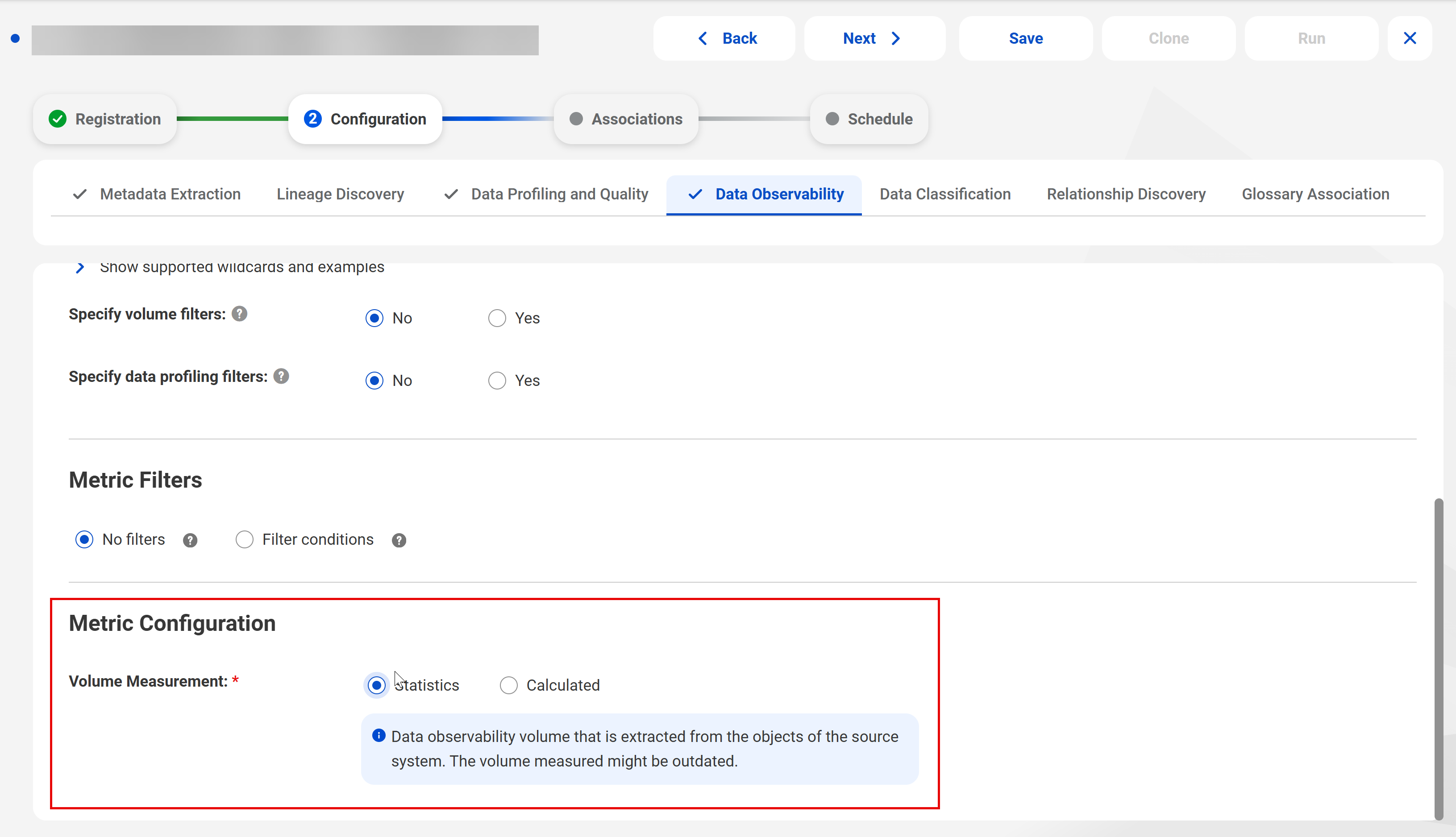
When you run a data observability job on a catalog source in Metadata Command Center, you can use a statistical volume measurement based on the earlier collection of the metadata, or you can measure the current volume when you run the job. For catalog sources that provide the data observability, you can choose Statistic or Calculated to configure how the data observability job measures metadata volume.
The following image shows a catalog source with data observability enabled: