1Open the data set for which you want to view value frequencies.
2If multiple profiles exist for the data set, click Switch Profile and select the profile from which you want to view value frequencies.
3On the Data Profiling tab, choose the column or rule for which you want to view value frequencies.
4Click the Graph icon to open the detailed view.
The following image shows the value frequencies for a sample column: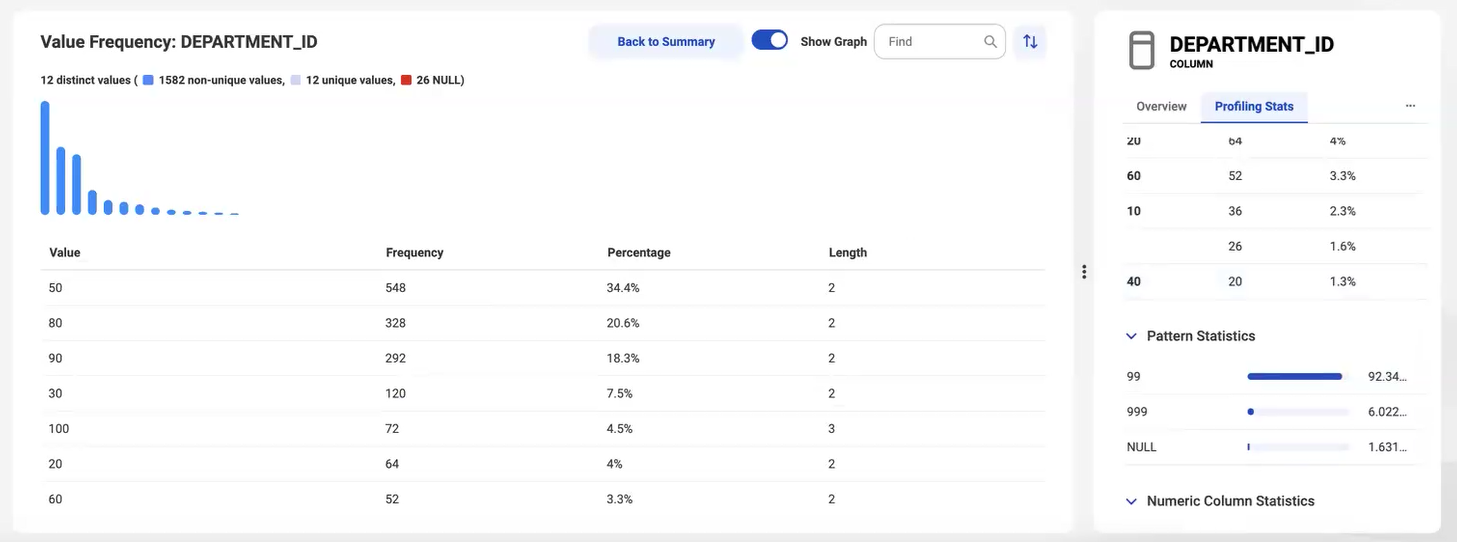
To hide the bar chart, clear the Show Graph option. Click Back to Summary to return to the summary view.