Stakeholder assignment and propagation for technical assets
Understand how stakeholder assignments for technical assets work when you configure a catalog source.
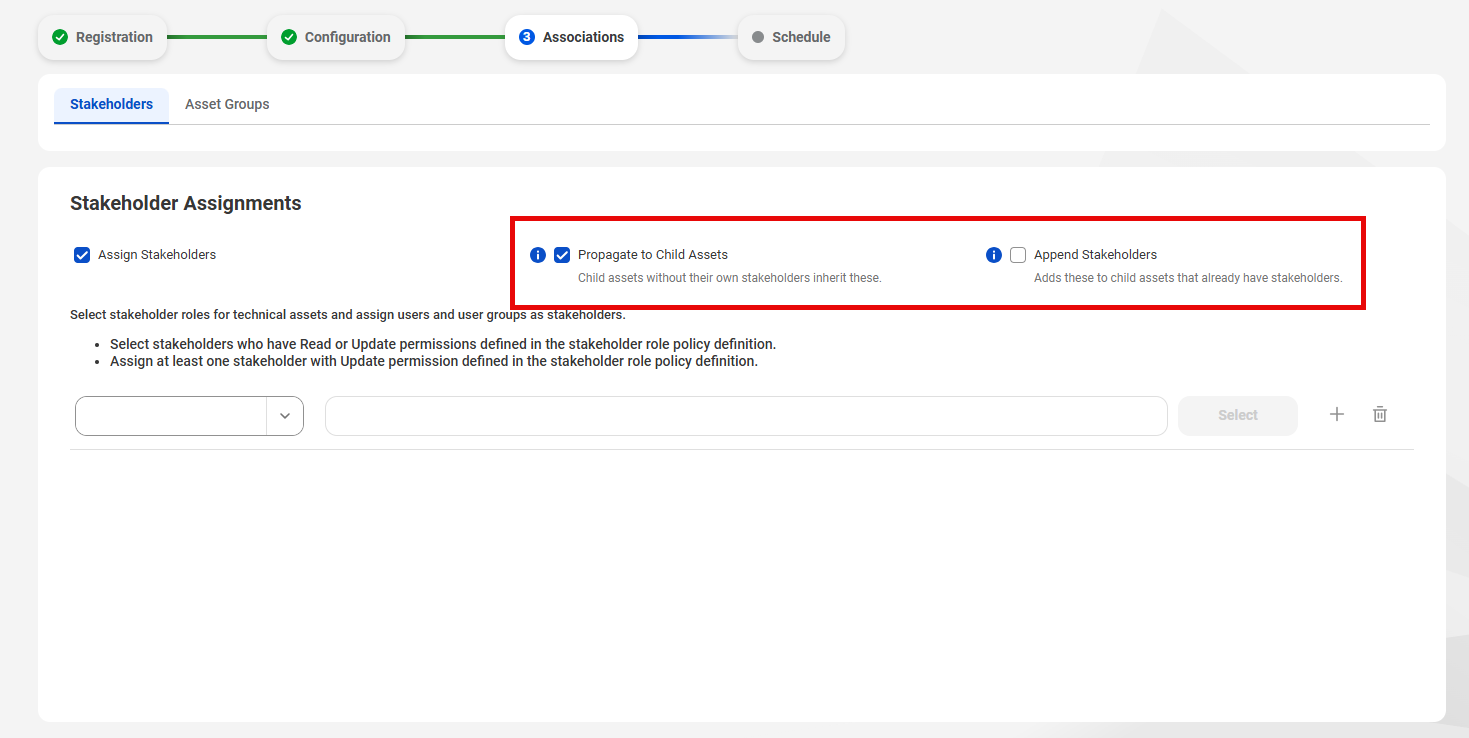
If you select Assign Stakeholders on the Associations page of a catalog source configuration, the controls for stakeholder propagation appear. These options determine how the stakeholders you assign propagate to assets in the hierarchy. In Data Governance and Catalog, the propagation options appear when you modify the stakeholders of the top asset in a technical hierarchy.
The following image shows the propagation settings for a catalog source:
Select the following options to control how a parent asset in the catalog source propagates stakeholders to its child assets:
•Propagate Stakeholders. Allows child assets without stakeholders to inherit the stakeholders of the parent asset.
•Append Stakeholders. Allows child assets that already have Assigned stakeholders to inherit stakeholders from a parent asset.
Note:
To enable Append Stakeholders, you must enable Propagate Stakeholders.
Guidelines for propagation in a technical hierarchy
The following conditions apply to stakeholder propagation and assignment in a technical hierarchy:
•By default, propagation is enabled in a technical hierarchy. If you don't assign stakeholders to technical assets, they inherit stakeholders from a parent asset.
•If you enable Propagate Stakeholders and Append Stakeholders, the child asset can receive manually assigned stakeholders alongside stakeholders inherited from a parent asset.
•If you disable Propagate Stakeholders after an asset propagates to child assets, the child assets lose the Inherited stakeholders propagated from its parent asset.
•If you disable Append Stakeholders after an asset propagates to child assets, the child assets lose their inherited stakeholders.
•If you disable Propagate Stakeholders, the child asset can have only Assigned stakeholders.