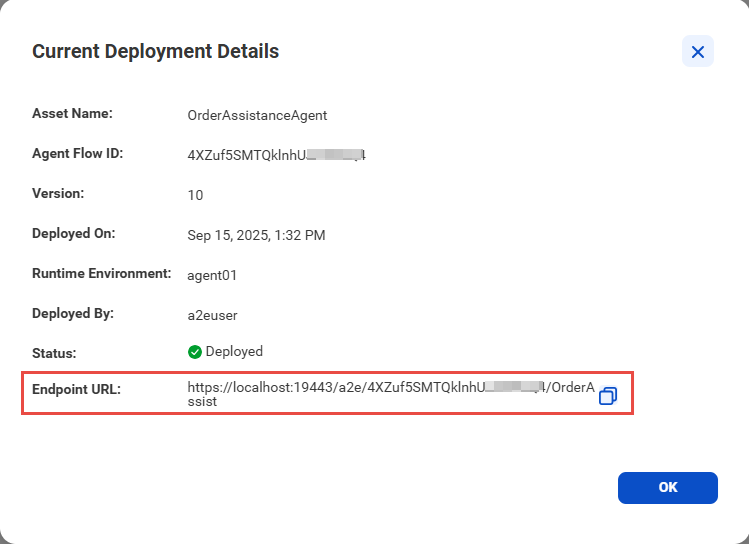
Before you begin, ensure that you have the endpoint URL for the AI agent that was created and deployed using AI Agent Engineering.
The AI agent that was created using AI Agent Engineering uses the REST binding type to generate the endpoint URL. You can configure the agent to allow access using anonymous, basic, or session ID authentication.
To get the endpoint URL:
1Open AI Agent Engineering.
2Open the agent flow for the deployed AI agent, and select View Current Deployment from the kebab menu in the upper right corner.
3In the Current Deployment Details dialog box, copy the endpoint URL.
The following image shows the Current Deployment Details dialog box:
For more information about AI agent deployment in AI Agent Engineering, see "Deploy the agent" in the AI Agent Engineering help.