After defining a project, you can manually map business entities in the MDM Hub and MDM SaaS if they are similar. If they aren’t similar, you can create the MDM Hub business entities automatically in MDM SaaS.
Manual mapping
If you map business entities manually, you must generate a data model mapping file and manually map the business entity fields or base object columns from the MDM Hub to the business entity fields in MDM SaaS.
For more information about manually mapping objects in a data model mapping file, see Data model mapping file
Smart field mapping
If business entities in the MDM Hub and MDM SaaS aren't similar, you can choose to create business entities automatically from the MDM Hub. The modernization process creates them in MDM SaaS without the need for mapping fields in data model mapping files.
In the MDM Hub, business entities contain a root node and one or more child nodes within the root node. MDM SaaS uses field groups or smart fields instead of child nodes. The modernization process lists both root and child nodes from the MDM Hub. If you select child nodes, then each child node will be modernized as a separate business entity. To avoid modernizing the child nodes in the MDM Hub as separate business entities in MDM SaaS, you can choose only the root nodes. You can create field groups or smart fields in MDM SaaS after modernization instead of creating separate business entities in MDM SaaS for child nodes.
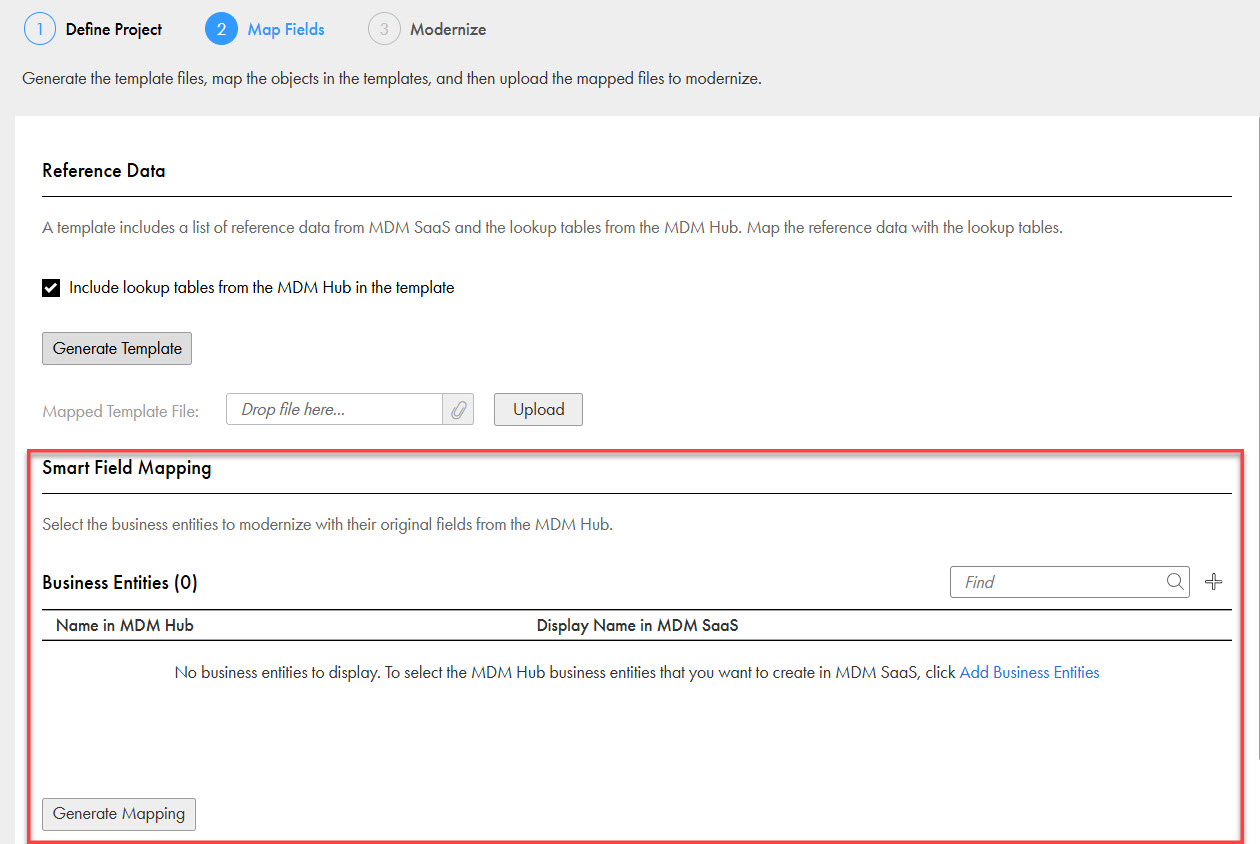
The following image shows a modernization project that uses smart field mapping to automatically create MDM Hub business entities in MDM SaaS:
Generating mapping files
You can generate mapping files based on the configuration details of the MDM Hub and the data model of MDM SaaS. After you download them, you can map the MDM Hub objects with the MDM SaaS objects.
If you choose to map the fields manually, you can generate separate mapping files for reference data and data model objects. If you choose to create business entities in the MDM Hub automatically in MDM SaaS, you can generate a mapping file only for reference data objects.
You can also regenerate mapping files for changes in the data model of MDM SaaS after the initial mapping file generation. For more information about modernization mapping files, see Modernization mapping files.