Using CLAIRE GPT > Data Marketplace > Fetch data for the quarterly sales report
  

Fetch data for the quarterly sales report

You are an intern in the Darmstadt office of a food and beverage company. You are asked to create the quarterly sales report for Germany. You seek the data that you need to compile the report.
The data that you need to create the report is available in Data Marketplace.
To achieve this goal, you can take the following approach:
These tasks utilize the data discovery skill of the discovery agent.
For more information about the discovery agent, see Discovery agent.
Following this approach, you can discover the data that you need to create the quarterly sales report.
To achieve the goal, perform the following steps:
  1. 1Log in to CLAIRE GPT.
  2. 2Start a conversation to search for categories related to sales.
  3. Enter the following prompt:
    Show sales categories
    The following image shows the response of CLAIRE GPT to the prompt, displaying a summary of the categories that were discovered:
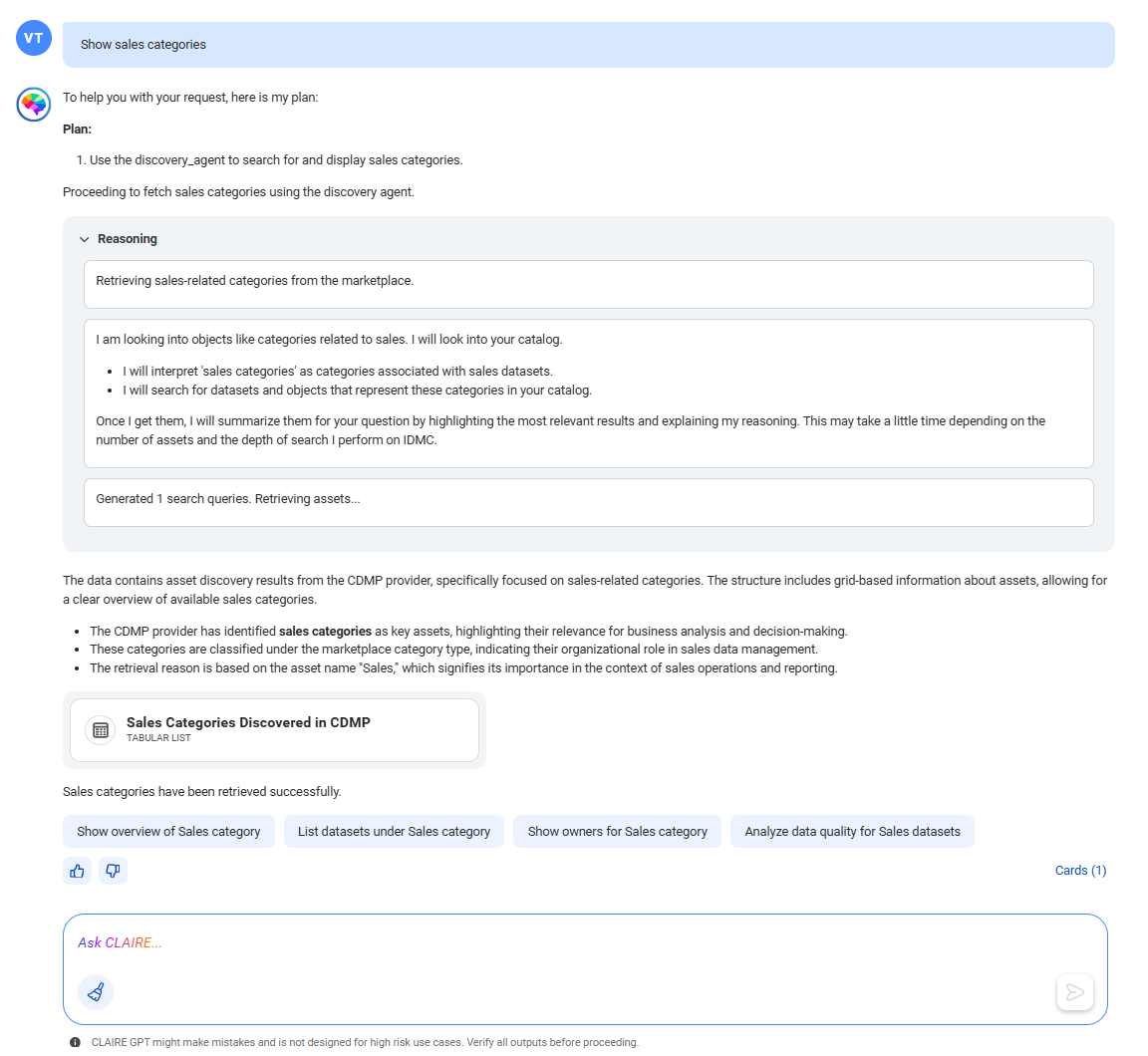
    Response from CLAIRE GPT displaying a summary of the categories that contain 'sales' in their name or description.
    CLAIRE GPT retrieves all the categories that contain 'sales' in their name or description. To view the list of categories, click the card named Sales Categories Discovered in CDMP.
    The following image shows the canvas with a list of categories that relate to sales:
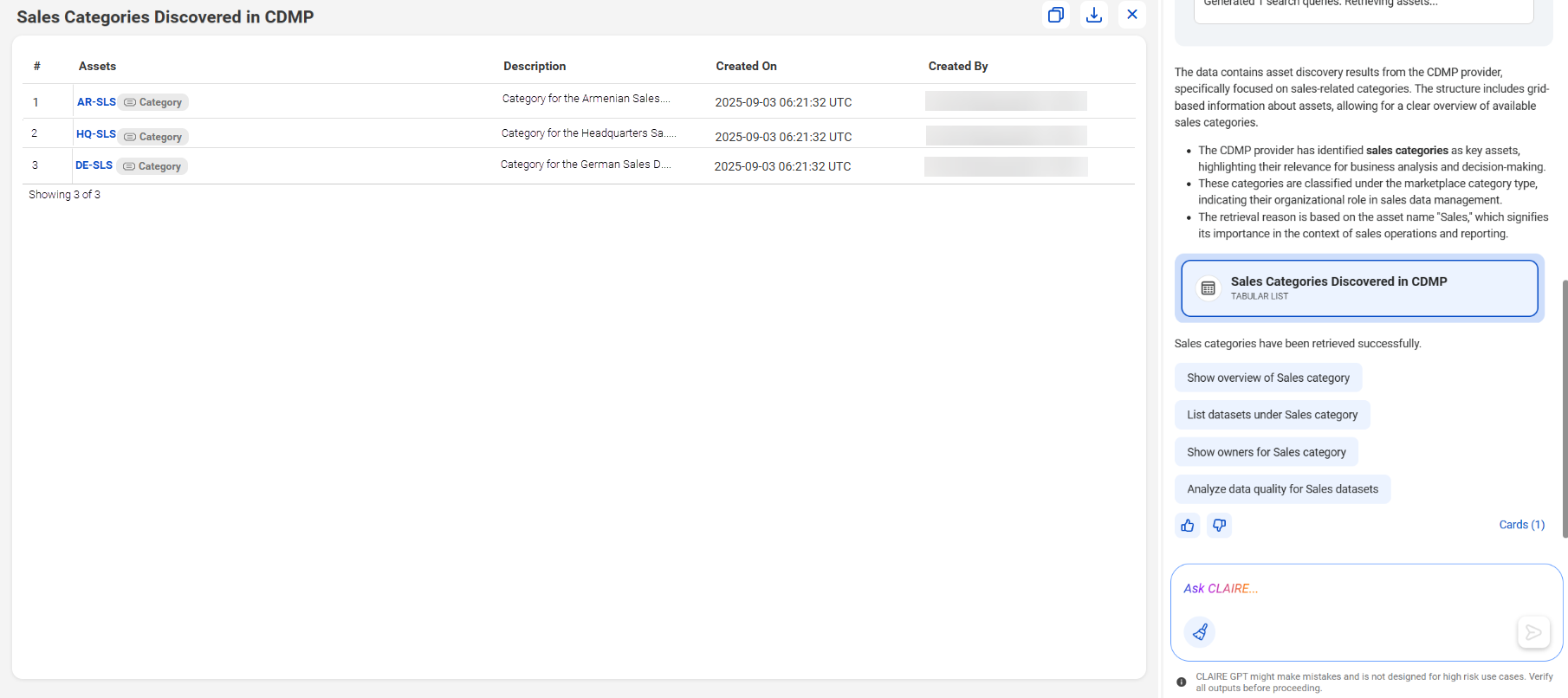
    CLAIRE GPT canvas displaying a list of categories that contain 'sales' in their name or description.
    You can click a category name to see the details in Data Marketplace.
    From the list of categories, you identify that the DE-SLS category contains the data for sales in the German region.
  4. 3Now, you can view the data collections in the DE-SLS category.
  5. Enter the following prompt:
    Show data collections in DE-SLS category
    The following image shows the response of CLAIRE GPT to the prompt, displaying the data collections in the DE-SLS category:
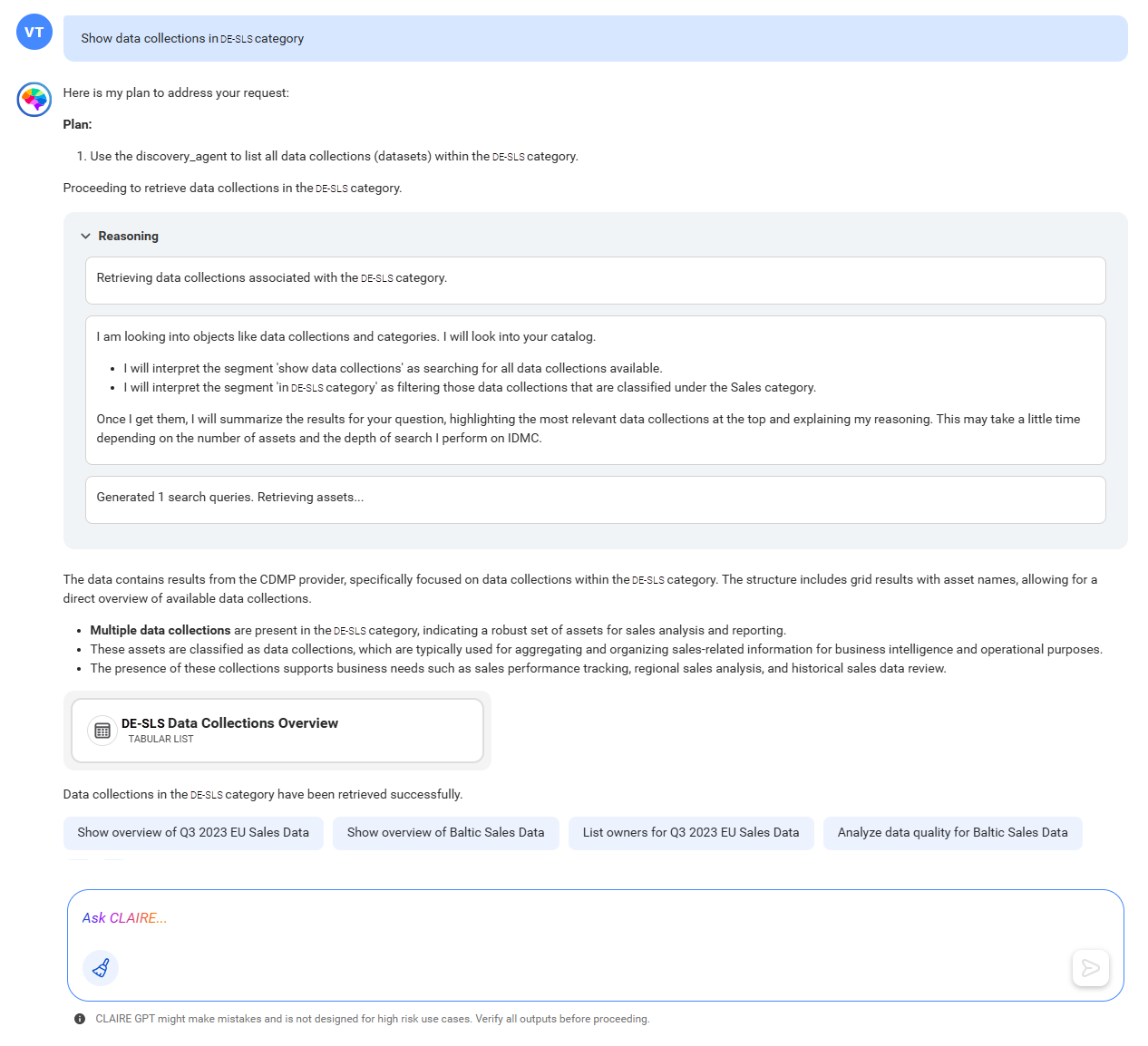
    Response from CLAIRE GPT displaying a summary of the data collections in the 'DE-SLS' category.
    CLAIRE GPT retrieves all the data collections in the DE-SLS category. To view the data collections in the category, click the card named DE-SLS Data Collections Overview.
    The following image shows the canvas with a tabular view of data collections in the 'DE-SLS' category:
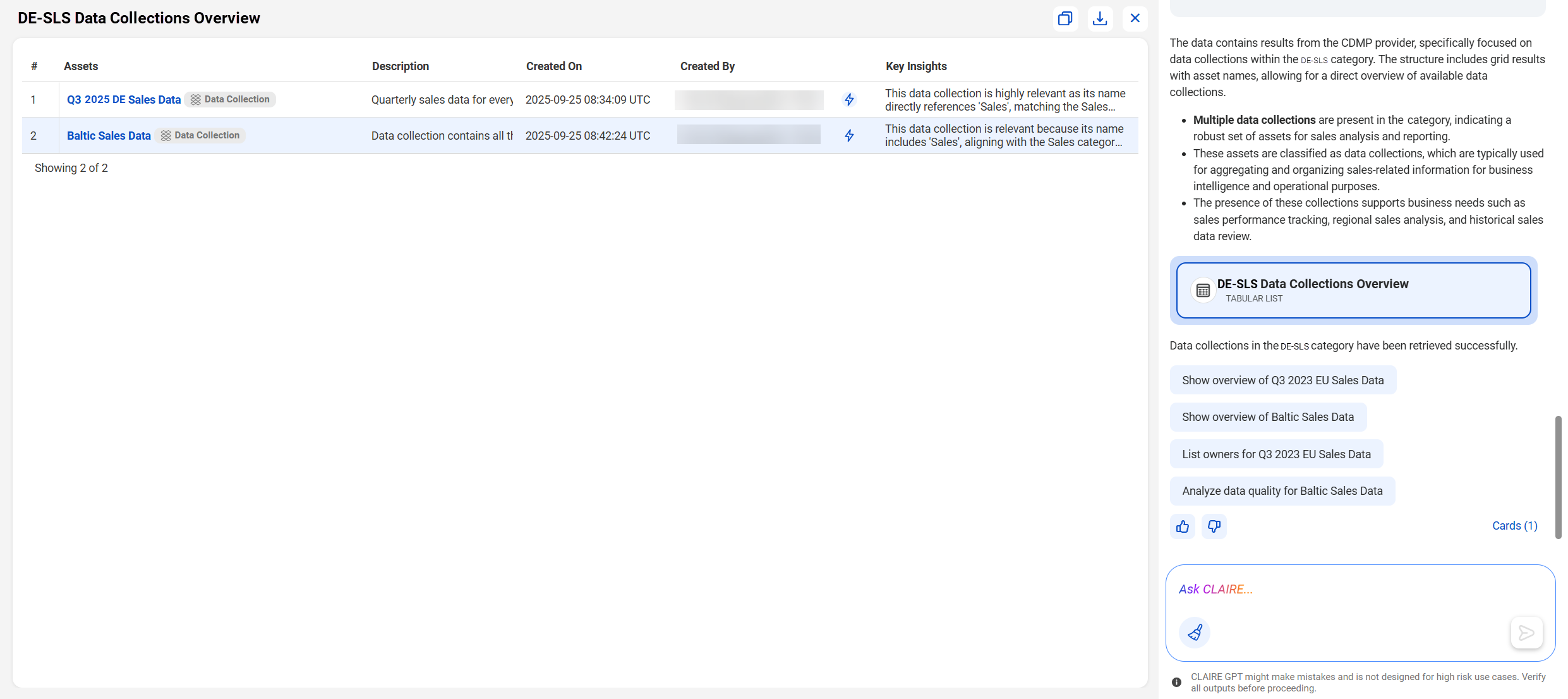
    CLAIRE GPT canvas displaying the list of data collections in the 'DE-SLS' category.
    You can click a data collection name to see the details in Data Marketplace.
    From the response, you identify that the Q3 2025 DE Sales Data data collection contains the information that you seek. You can open the data collection in Data Marketplace and place an order to gain access to it.
You were able to quickly identify data of interest using simple natural language prompts.